
Kocaman Version 1.5
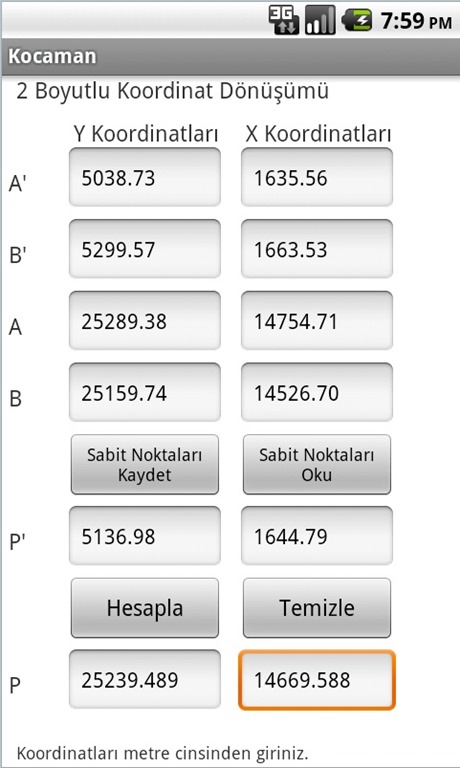 With the Version 1.5 update, you can now calculate the equivalent of an existing point in another coordinate system using the 2D similarity transformation method. For example, you have the ED50 coordinates of a point and you need its ITRF coordinates. All you need to do is fill in the required fields with the values of 2 common points whose coordinates are known in both the ED50 and ITRF coordinate systems (such as points A and B) and the coordinates of your point in the ED50 system, and press the Calculate button. In addition, if you will use these common points used in the parameter calculation regularly and don’t want to bother entering them again and again each time, simply press the Save Fixed Points button. This way, when you open the program again, instead of entering the fixed points by hand, you can recall them from memory to the screen by pressing the Read Fixed Points button. If you will use different fixed points, you can delete the existing data with the Clear button and replace it with new data, then save again to use it from memory later.
You can reach the Kocaman software, developed for Android 2.2 and later, by clicking here.
I hope you find it useful…
Posted: by Hakan KOCAMAN

Category: Android, General, Programming, Software
Tags: 2D Coordinate Transformation, Android, Kocaman, Kocaman Android