I Completed My Master’s Degree

Having graduated as of 02.01.2019 from my master’s programme with thesis in the Transportation Division of the Department of Civil Engineering at the Sakarya University Institute of Natural Sciences, I received my diploma today. I would like to thank my wife Gamze KOCAMAN, who was always by my side throughout this process, and my daughter Kumsal KOCAMAN, who joined our family; my friend Hüseyin Cem İNCE, who encouraged me to take the step into a master’s degree; my advisor Assist. Prof. Dr. Hakan ASLAN, who contributed greatly especially to my thesis work, guiding me and sharing his valuable ideas; my brothers Alihan KOCAMAN and Gökhan KOCAMAN, whose presence I have always felt beside me; my parents Aysel KOCAMAN, Lale AKDUMAN and Hasan AKDUMAN; and everyone whose names I cannot list here but who directly or indirectly helped and supported me in my studies and thesis work.

And finally, this diploma is dedicated to my very dear late father, retired machine technician Tahsin KOCAMAN, who passed away in May 2016, always believed in me and inspired me with his life. With gratitude, respect and longing…
Share This

Installing QGIS 3.2 on PARDUS 17

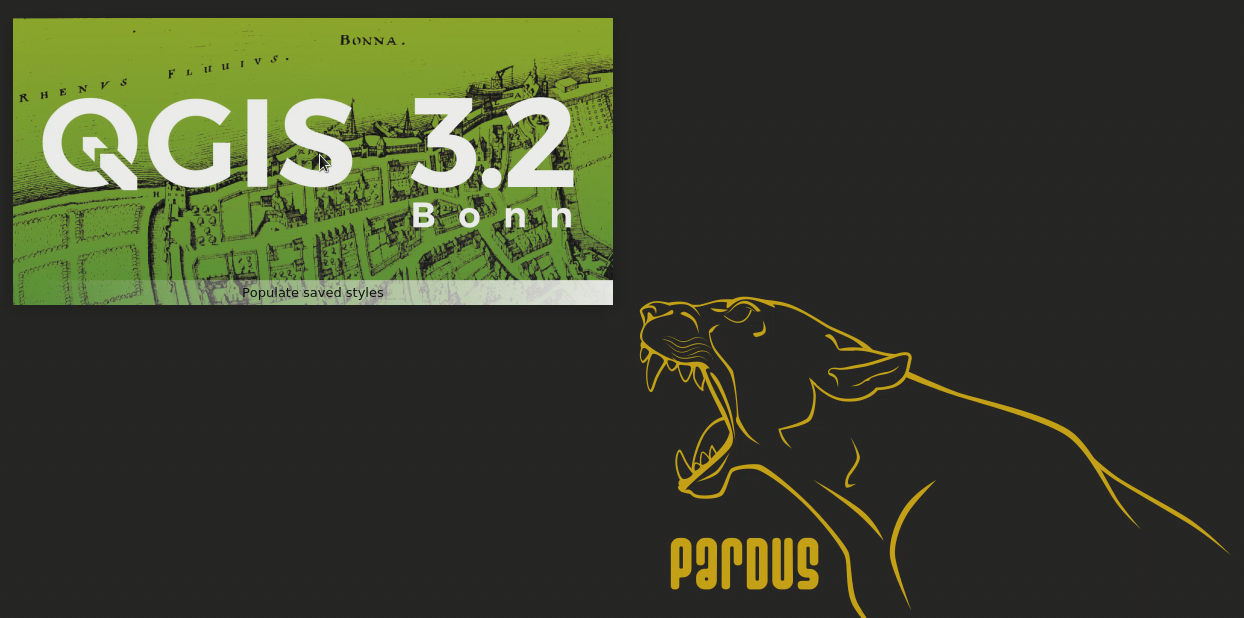
At the end of August 2018, because the official repositories of Pardus, our National Operating System whose usage has become quite widespread recently, still contained version 2.14 of QGIS, I successfully installed version 3.2 of QGIS on version 17.3 of Pardus at the request of one of my followers. However, even though I completed the installation and ran QGIS 3.2 successfully, when I restarted the operating system the graphical login screen stopped appearing and I could not log in to the system again. Although I raised the issue on Pardus’s official forums, unfortunately I did not get a useful answer. Today, after my follower asked whether there had been any progress on this issue, I decided to share this video I had prepared earlier. I think that perhaps this way I can reach more people who are interested in the subject and may be able to solve the problem. If anyone has a solution to this issue, they can give feedback by writing to iletisim@hakankocaman.com. The link to the topic I opened earlier on the official Pardus forums and the video showing how to install QGIS 3.2 on Pardus 17 are below.

Continue reading Installing QGIS 3.2 on PARDUS 17

Share This

Collector for ArcGIS (Windows) “Invalid client_id” Problem

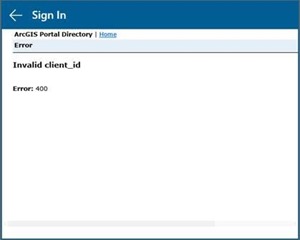
Collector_for_Arcgis_Windows_10_ErrorIf your organisation uses Portal for ArcGIS, which ships with ArcGIS Server 10.3 or 10.3.1, then when you download Collector for ArcGIS from the Windows 10 store and try to connect to your Portal for ArcGIS, you will probably see the screen shown in the image. Esri states that this is because Portal for ArcGIS 10.3 and 10.3.1 are protected with OAuth2 and Collector for ArcGIS for Windows was released after these products.

The problem goes away when you follow the steps described by Esri. Without further ado, you can find the details of the problem by clicking here, and the steps to solve it by clicking here.

Share This

English Language Support Comes to Kocaman Pro for Android

With today’s update to Kocaman Pro for Android, users can now also use Kocaman Pro in English. English language support is planned to be added to Kocaman Pro for iOS in the coming weeks as well. Work on new functions and performance improvements is also continuing on both platforms.

Finally, users who have suggestions or feedback about the English translations can share them with us at iletisim@hakankocaman.com.

To download the app from Google Play, click here.

To download the app from the App Store, click here.

Share This

Kocaman Pro for Android Updated

Kocaman Pro for Android has received an update with bug fixes and performance improvements. Previously, with version 2.0 of Kocaman Pro for Android, the elevation data for the current location had been obtained over the internet through the Google Elevation API. Since Google’s Elevation API service provides the sea-level elevation of users’ locations as a paid service after a certain number of daily queries, we as the Kocaman Pro team have also settled the necessary payment and billing arrangements so that our users are not affected and can use the elevation data provided by this service over the internet without any problems. In short, Kocaman Pro users will not have to pay anything extra for the elevation data they use through the Google Elevation API.

To download the app from Google Play, click here.

We share this with our users and wish them success in their work.

Share This